Table of Contents
GatesFX gives traders access to forex, crypto, and indices through MetaTrader 5 and TradeLocker - two of the most capable execution environments available. TraderInsight.pro is the trading journal that sits on top of both, turning your raw GatesFX trade history into structured performance data you can actually act on.
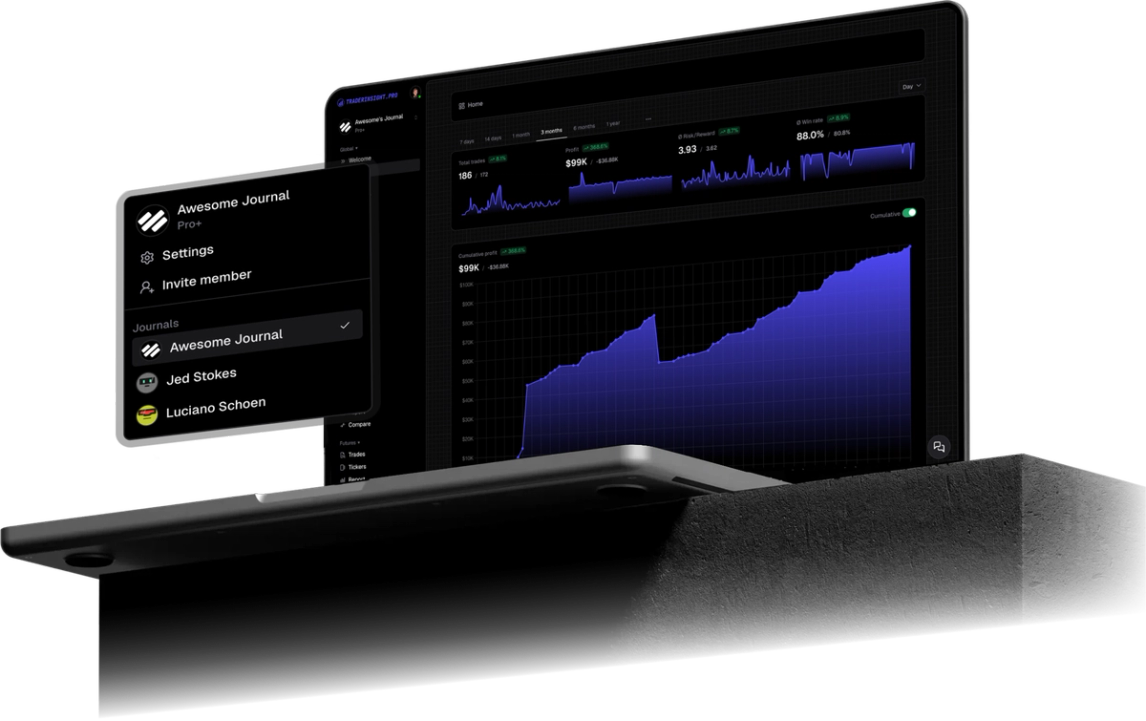
Import your GatesFX history instantly - via MT5 or TradeLocker export - and get performance reports, AI-powered analysis, strategy tags, and a P&L calendar built around your actual data. Supports forex, crypto, and more.
Why GatesFX traders use TraderInsight.pro
GatesFX accounts execute. They don't analyze - not at the level a serious trader needs. Tight spreads and fast fills are the starting point, not the finish line. The review work - understanding which pairs you actually trade well, which sessions produce consistent results, and whether your strategy has a genuine expectancy across hundreds of trades - happens away from the execution platform.
Most GatesFX traders using MT5 know how to read a report in the terminal. What they don't have is a way to tag those trades by strategy, compare setups over time, or ask a plain-English question about their data and get an instant answer. That's the layer TraderInsight.pro provides.
For traders running both MT5 and TradeLocker accounts, TraderInsight.pro supports both import paths and merges them into a single unified journal - so your full picture is always in one place.
What does TraderInsight.pro support from GatesFX?
TraderInsight.pro supports forex, crypto, and more from GatesFX exports - new asset types are added regularly. Imports from both MetaTrader 5 and TradeLocker are supported.
How to export from GatesFX
From MetaTrader 5 (MT5)
- Open your MT5 Terminal and log in with your GatesFX account.
- Click the History tab in the Terminal panel at the bottom.
- Right-click anywhere in the history list and select Save as Report. This generates an
.htmlfile. - Alternatively, use the direct MT5 integration guide for the most complete export process.
From TradeLocker
- Log into your TradeLocker account with your GatesFX credentials.
- Navigate to History or Reports in the platform.
- Click Export and download your trade history as a
.csvfile.
How to import into TraderInsight.pro
- Go to the Import page.
- Drag and drop your
.csvor.htmlfile onto the import area. - TraderInsight.pro recognizes the format automatically - no broker selection step required.
Your GatesFX trades are live instantly, ready for review.
How to use your GatesFX data to improve
How to find which forex pairs you actually trade profitably
Use strategy tags to label trades by pair group - majors, crosses, or exotics - and run performance reports filtered to each group. Many traders discover they have a consistent negative P&L on one pair category they continue trading out of habit rather than results. The comparison report is the tool for this: stack EUR/USD performance against GBP/JPY and let the data speak.
How to identify which trading sessions produce consistent results
Tag trades by session - London open, NY open, London-NY overlap, Asian session - and compare P&L and win rate across sessions using performance reports. For forex traders, session-level analysis is one of the highest-value data cuts available: most traders have a strong session and a weak one, and the split is rarely where they expect it.
How to review your crypto positions alongside your forex trades
If you trade both forex and crypto through GatesFX, TraderInsight.pro imports both and keeps them in the same unified journal. Filter to crypto or forex independently in reports, or compare them side by side using the comparison report to see which asset class is pulling its weight.
How to ask AI-powered questions about your trading patterns
AI analysis lets you ask plain-English questions about your own GatesFX data - "What's my average R:R on London open trades?" or "Which pairs cost me the most last quarter?" - and get instant answers backed by your real history. No spreadsheets, no pivot tables.
Mobile access
The TraderInsight.pro mobile app gives you full access to all features on iOS and Android - same reports, tags, notes, and AI as desktop. Review your GatesFX data anywhere, anytime.
Frequently Asked Questions
Does TraderInsight.pro support GatesFX?
Yes. GatesFX is fully supported via MT5 export and TradeLocker CSV export. Drop your file on the import page and your trades are recognized instantly.
What is the best trading journal for GatesFX?
TraderInsight.pro. Import via MT5 or TradeLocker export, and your full GatesFX history is instantly live - ready for performance reports, AI analysis, strategy tags, and a P&L calendar.
How do I import my GatesFX MT5 trades?
In MT5, go to the History tab in the Terminal, right-click, and select Save as Report. Then drag and drop the file on the import page. See the full MT5 import guide for details.
Does TraderInsight.pro support TradeLocker exports from GatesFX?
Yes. Export your trade history as CSV from the TradeLocker History section and import it directly on the TraderInsight.pro import page.
What asset classes from GatesFX are supported?
Can I import both my MT5 and TradeLocker accounts into one journal?
Yes. Import each account separately and TraderInsight.pro merges them into a single unified history for reporting and analysis, but it’s better to stick to one import strategy to get the most predictable and consistent import results.
Can I use AI to analyze my GatesFX trade data?
Yes. AI analysis answers plain-English questions about your data in seconds - drawn from your real GatesFX trade history.
Is there a mobile app?
Yes. The TraderInsight.pro mobile app provides full feature parity on iOS and Android.